Quick and Easy 3D
I'd like to show you a little technique I like to use for a
quick 3D effect. It is really simple and fast when you need
some simple 3D on shapes. While it doesnt't work as well as
some of the other techniques (we can talk about those
later), it works really well for some.
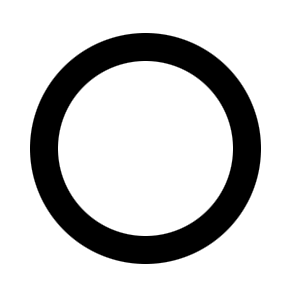
I'm going to use a simple torus shape for
this. I made it in Photoshop using the circle marquee tool.
I simply filled a circle, made a smaller circle inside of it
with the marquee tool and then deleted the center. Sort of
like a donut hole punched out of a donut.
What you want to do is select the torus'
transparency by Control (Command for Mac) Clicking on its
thumbnail in the layers palette. This will create a
selection around the torus. Now create a new layer by
pushing the icon at the bottom of the layers palette that
looks like a piece of paper. In the new layer, we are going
to contract the selection by a few pixels. I used 6 pixels
on an image that was about 150 pixels wide. You will have to
adjust this value for your own piece. To contract the
selection go to Select -> Modify -> Contract. Enter your
value and then hit OK. Now we are going to feather the
selection a little. Go Select -> Modify -> Feather. I used
4, but again you will have to adjust your value.
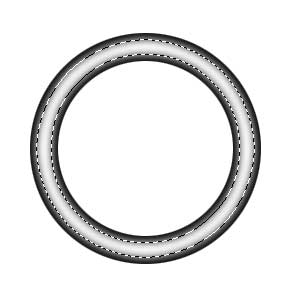
Once this is done, we are going to fill the
selection on our new layer with white. Do this and the you
should get this type of image below.
Now deselect the image by hitting Command
(Control for PC) + D. We are now going to blur this layer a
bit. Hit Filter -> Blur -> Gaussian Blur. Hit the little
Preview checkbox, and then move the slider to your
satisfaction. It should not take too many pixels, I used
about 3 or so.
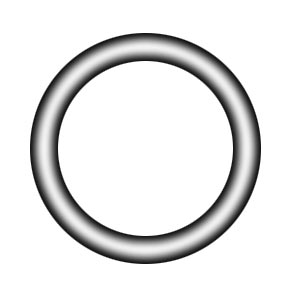
So now we basically have the 3D torus. Think
about the light on this torus coming directly from the top
of the image. If you nudge the layer with the reflection
(the top layer), you can make it appear slightly to the left
or right. I like the straight-on look myself.
Now let's add some color. Duplicate the top
layer by dragging the thumbnail over that little piece of
paper at the bottom of the layers palette again. Change the
blending mode to Color Dodge. Then go Image -> Adjust -> Hue
and Saturation. Hit the Colorize checkbox. Adjust the Hue
slider where you want it. Then increase the Saturation and
lower the lightness value. Hit OK. Drop the opacity of the
layer now to around 60% or so. Also drop the opacity of the
original reflection layer.
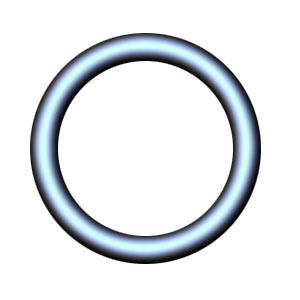
Now I am going to play around with the
bottom black layer. This is optional, but I like to play! I
changed the bottom layer's color to blue with the Hue and
Saturation adjustment. Then I duplicated that layer. The top
one I changed to Color Dodge mode and adjusted the opacity
down. Then I reduced the bottom layer as well. I added some
scanlines behind (underneath), the bottom layer. Then I
duplicated this layer, and deleted everything outside of the
torus. I move this scanlines donut between the two bottom
colored layers to make it appear as though they were
transparent. I also added a blue drop shadow to the very
bottom torus layer.
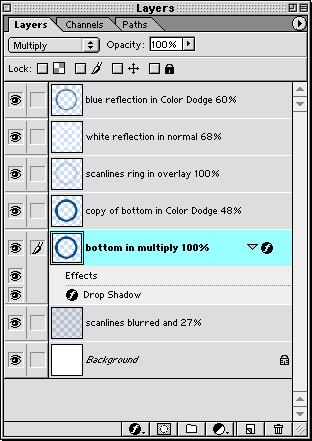
Here is my layers palette. I have name the
layers with the Blending Mode and Opacity Value to help you
sort them out.
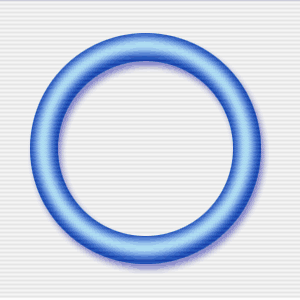
And here is my final image. Play around with
this and change the opacity and so forth of the different
layers. You may come up with some really cool combinations.
Hope you have fun.
|




 advertisment

 advertisement

 Host With Us: HostingHelper.co.uk From Only $5.00p/m