Graphics Introduction
This tutorial discusses issues and techniques relating to Web graphics. It
includes information about creating animated GIFs, clickable image maps, and
efficient Web graphics.
Although Adobe PhotoShop is one of the more popular applications for
creating Web graphics, you can use any application that supports the GIF
and JPEG file formats. Other programs include PaintShop
Pro, GraphicConverter,
or Microsoft Image Composer that comes with Microsoft FrontPage. If you
are not experienced with PhotoShop, ITS teaches several short
courses on Adobe PhotoShop and has an online handout called Getting
Started with Adobe PhotoShop.
Scanning
You may have an image you would like to convert from paper to electronic. Scanning
is the process of converting printed material into digital images (i.e. photographs,
postcards) that can be manipulated using graphics software. To scan a document,
you must have a computer with a scanner connected to it and scanning software.
The scanner imports the printed material into the computer and the software
allows you to manipulate and edit the scanned image.
The <IMG> Tag
Use the <IMG> tag to include inline images in a Web page. An inline image
appears in the page itself and does not open in a separate window or require
a helper application to display. For example
<IMG SRC="car.jpg" ALT="Web Banner Graphics" width="317" height="216" >
displays the image called car.jpg and alternative text "Web Banner Graphics". This image appears
below.
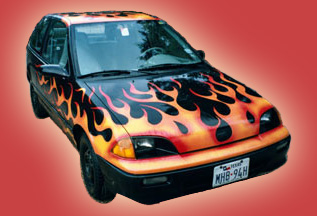
The ALT attribute specifies a text alternative for the image
so when users have images turned off or are using a browser that does not
display images, they see the alternative text. The attributes for the <IMG>
tag appear below.
| Attribute |
Meaning |
| SRC="url" |
The source URL for the image |
| ALT="text" |
Alternative text to display if the image is not
loaded. Some browsers display the ALT text when the mouse is over the image. |
HEIGHT="n"
WIDTH="m" |
The height, in pixels, that the image should display.
If the actual image height does not equal n, the browser will scale the image to fit the
specified dimensions. Although the HEIGHT and WIDTH attributes are not required, the page will
layout more quickly if they are specified. |
| BORDER="n" |
Set the border pixel width around images
contained within hyperlinks. If the image is a link, a blue border displays around the
images unless BORDER="0" is specified |
| USEMAP="url" |
Specify location of the map information for an image
map |
| ALIGN="left,right, top, middle, or
bottom" |
Specify how the image aligns with text on the same
line. |
File Formats
The two most common graphic file formats for the Web are GIF files and JPEG
files. Browsers and most popular Web graphics programs support both these file
formats. But which file format is better? It depends on the nature of the image.
The table below summarizes the features of the different file formats and some
of their advantages and disadvantages.
| GIF |
JPEG |
| File format is limited to 256 colors. |
Format is 24 bit, which supports millions of colors. |
| Best for images that have fewer colors and large areas of
similar colors. File size of clip-art, graphic text, or banners is usually smaller in
the GIF format. |
Compressions optimized for photographic images with a wide
range of colors. File size of scanned images will usually be smaller in JPEG format. |
| GIF 89A format can specify one color as transparent so
portions of the graphic will allow the background to appear. |
Does not support transparency. |
| GIF 89A format supports animation. |
Does not support animation. |
A few examples appear below. In Figure 1A, the GIF file, is much smaller than
Figure 1B because it has few colors and the green appears in a large block.
The GIF file format is optimized for compressing graphics like this. In Figure
2B however, the JPEG file is much smaller than Figure 2A because it has many
colors and the JPEG file format compresses it more effectively.
|

Figure 1A - 13K GIF Format |

Figure 1B - 23K JPEG Format |
|

Figure 2A - 51K GIF Format |

Figure 2B - 39K JPEG Format |
<< Previous Beginners Article |
Next Beginners Article >>
Beginners Main Menu 1 to 7 |
Beginners Main Menu 8 to 14 |
Beginners Main Menu 15 to 21
|





 advertisment

 advertisement

 Host With Us: HostingHelper.co.uk From Only $5.00p/m