Sizing Up the Browser (Part 4)
Form Elements
If you like control, then we have one piece of advice: Before designing pages with forms, take a deep breath,
because it won't be a joyous experience. Form elements don't like to be tamed. Depending on the browser
being used, form elements will vary in size, spacing, and typography.
This page has two purposes:
- If you're coding pages with form elements, we'll tell you which browser displays them at the largest size.
Thus, you'll know that if your page looks good in that browser, it will probably hold together in others too.
(It's incredibly annoying when we come across a page that has a form element on it that is too big and
breaks the design of the page. Clearly the designer didn't test it on all browsers and platforms!)
- If you're mocking up pages in Photoshop, we'll give you exact numbers for form element sizes so
your mock-ups can be astoundingly accurate.
Note: We looked at form elements that had no font or style applied to them
(e.g., <FONT SIZE>). Most browsers don't accept fonts or styles applied to forms anyway, and those
that do behave inconsistently. In general, avoid applying fonts and styles to forms.
To come up with the information below, we took screen shots of the key form elements in all the major browsers.
We thought it might come in handy for you to have those files so when you're doing a Photoshop mock-up of a
Web page with a form, you'll have real form elements to use. We also threw in the default cursors (the arrow
pointer and the pointing hand) for every major browser.
Download the zipped Photoshop file with these pieces
and parts from all the browsers.
Radio Buttons 
| Browser |
Height |
Width |
Space After |
| IE 5.x (Win) |
11 |
11 |
5 |
| NN 4.x (Win) |
11 |
11 |
6 |
| NN 4.x (Mac) |
12 |
12 |
5 |
| IE 4.x (Win) |
11 |
11 |
5 |
| IE 4.x (Mac) |
12 |
12 |
5 |
| NN 3.x (Win) |
11 |
11 |
6 |
| NN 3.x (Mac) |
12 |
12 |
4 |
| IE 3.x (Win) |
11 |
11 |
7 |
| IE 3.x (Mac) |
12 |
12 |
7 |
Measurements in pixels
"Space after" is the number of pixels measured horizontally between the radio
button and the text associated with it. It assumes that the text is on the same line as the radio
button in the code (some browsers insert additional space if the code contains a line break).
The bottom line: Radio buttons are fairly consistent. If your page has radio buttons, the text size has greater
impact on the design than the radio buttons do.
Checkboxes 
| Browser |
Height |
Width |
Space After |
| IE 5.x (Win) |
12 |
12 |
5 |
| NN 4.x (Win) |
12 |
12 |
6 |
| NN 4.x (Mac) |
12 |
12 |
7 |
| IE 4.x (Win) |
12 |
12 |
5 |
| IE 4.x (Mac) |
12 |
12 |
5 |
| NN 3.x (Win) |
12 |
12 |
6 |
| NN 3.x (Mac) |
12 |
12 |
6 |
| IE 3.x (Win) |
12 |
12 |
6 |
| IE 3.x (Mac) |
14 |
14 |
6 |
Measurements in pixels
"Space after" is the number of pixels measured horizontally between the checkbox
and the text associated with it. It assumes that the text is on the same line as the checkbox in the
code (some browsers insert additional space if the code contains a line break).
The bottom line: Checkboxes are fairly consistent. If your page has checkboxes, the text size has
a greater impact on the design than the checkboxes do.
Text Input Fields 
| Browser |
Height |
Width at SIZE=20 |
| IE 5.x (Win) |
21 |
152 |
| NN 4.x (Win) |
24 |
169 |
| NN 4.x (Mac) |
16 |
126 |
| IE 4.x (Win) |
21 |
152 |
| IE 4.x (Mac) |
15 |
123 |
| NN 3.x (Win) |
24 |
154 |
| NN 3.x (Mac) |
16 |
126 |
| IE 3.x (Win) |
22 |
119 |
| IE 3.x (Mac) |
15 |
123 |
Measurements in pixels
The largest values are in bold. Your design should accommodate the largest
text input field.
The bottom line: Make sure to test your page in Navigator 4.x (Windows).
Text Areas 
| Browser |
Height (default) |
Height at ROWS=2 |
Height at ROWS=3 |
Width at COLS=20 |
| IE 5.x (Win) |
37 |
37 |
53 |
181 |
| NN 4.x (Win) |
48 |
64 |
80 |
184 |
| NN 4.x (Mac) |
38 |
50 |
62 |
150 |
| IE 4.x (Win) |
37 |
37 |
53 |
181 |
| IE 4.x (Mac) |
54 |
28 |
41 |
139 |
| NN 3.x (Win) |
48 |
64 |
80 |
184 |
| NN 3.x (Mac) |
38 |
50 |
62 |
150 |
| IE 3.x (Win) |
77 |
51 |
64 |
99 |
| IE 3.x (Mac) |
15 |
28 |
41 |
123 |
Measurements in pixels
The largest values are in bold. Your design should accommodate the largest text area.
To get the heights for text areas with more than three lines of text, simply use the difference between the
ROWS=2 column and the ROWS=3 column as the increment.
The bottom line: Make sure to test your page in Navigator 4.x (Windows). Also, always define the
number of rows so you can avoid the large default height of IE 3.x (Windows).
Pull-Down Menus 
| Browser |
Height |
Relative Width |
Font, Point Size, Tracking |
| IE 5.x (Win) |
21 |
|
Arial 13/0 |
| NN 4.x (Win) |
21 |
|
Arial 13/0 |
| NN 4.x (Mac) |
18 |
|
Times 11.5/10 |
| IE 4.x (Win) |
21 |
|
Arial 13/0 |
| IE 4.x (Mac) |
18 |
|
Charcoal 12/30 |
| NN 3.x (Win) |
23 |
|
Arial 13/0 |
| NN 3.x (Mac) |
18 |
widest |
Times 11.5/10 |
| IE 3.x (Win) |
20 |
|
Arial 13/0 |
| IE 3.x (Mac) |
17 |
|
Times 11.5/10 |
Measurements in pixels except where noted.
The largest values are in bold. Your design should accommodate the largest
pulldown menu.
The width of a pulldown menu depends on the longest line of text within it, so there's no way to list
default values here. We simply noted the browser with the widest pulldown menu.
Note: Charcoal is a core system font for the latest version of the Mac OS. Older Mac OS versions
use different fonts.
The bottom line: Be sure to test your page in Navigator 3.x (Windows and Mac).
Multiple Selections 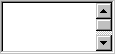
| Browser |
Height st SIZE=2 |
Height at SIZE=3 |
Relative Width |
Font, Point Size, Tracking |
| IE 5.x (Win) |
38 |
54 |
|
Arial 13/0 |
| NN 4.x (Win) |
38 |
54 |
|
Arial 13/0 |
| NN 4.x (Mac) |
26 |
38 |
widest(tie) |
Courier 10.5/-30 |
| IE 4.x (Win) |
38 |
54 |
|
Arial 13/0 |
| IE 4.x (Mac) |
26 |
38 |
|
Times 11.5/10 |
| NN 3.x (Win) |
38 |
54 |
|
Arial 13/0 |
| NN 3.x (Mac) |
26 |
38 |
widest(tie) |
Courier 10.5/-30 |
| IE 3.x (Win) |
32 |
45 |
|
Arial 13/0 |
| IE 3.x (Mac) |
26 |
38 |
|
Times 11.5/10 |
Measurements in pixels except where noted.
The largest values are in bold. Your design should accommodate the largest
multiple-selection box.
The width depends on the longest line of text, so there's no way to list default values here. We
simply noted the browsers with the widest multiple-selection box.
To get the heights for multiple-selection boxes with more than three lines of text, simply use
the difference between the SIZE=2 column and the SIZE=3 column as the increment.
The bottom line: Be sure to test your page in IE 5.x (Windows) and Navigator 4.x (Mac).
Submit Button 
| Browser |
Height |
Width |
Font, Point Size, Tracking |
| IE 5.x (Win) |
24 |
61 |
Arial 13/0 |
| NN 4.x (Win) |
23 |
61 |
Arial 13/0 |
| NN 4.x (Mac) |
20 |
50 |
Times 11.5/10 |
| IE 4.x (Win) |
24 |
61 |
Arial 13/0 |
| IE 4.x (Mac) |
20 |
54 |
Charcoal 12/30 |
| NN 3.x (Win) |
24 |
61 |
Arial 13/0 |
| NN 3.x (Mac) |
20 |
50 |
Times 11.5/10 |
| IE 3.x (Win) |
23 |
72 |
Arial 13/0 |
| IE 3.x (Mac) |
18 |
54 |
Charcoal 12/30 |
Measurements in pixels except where noted.
The largest values are in bold. Your design should accommodate the largest
Submit button.
The width here assumes you're using the common text in the button Submit. If you're using
different text, obviously the width value will be different.
Note: Charcoal is a core system font for the latest version of the Mac OS. Older Mac OS versions
use different fonts.
The bottom line: Be sure to test your page in IE 5.x (Windows) and IE 3.x (Windows). We hope you
come away from this article with two opinions:
- The authors of this article have way too much time on their hands.
- We now have all the numbers at our fingertips that we need to mock up pages in Photoshop
and we know what browsers are essential for testing.
Because, yes, size does matter.
|




 advertisment

 advertisement

 Host With Us: HostingHelper.co.uk From Only $5.00p/m